Ask the right questions, in the right order.
Dazr Forms builds forms, surveys, quizzes and sign-ups by dragging questions into place. Add sections, let an answer send people to the part that applies to them, and read the answers as charts, a CSV file or a sheet in Dazr Sheets.
Part of Dazr Starter, Pro and Enterprise, for everyone in your organisation.
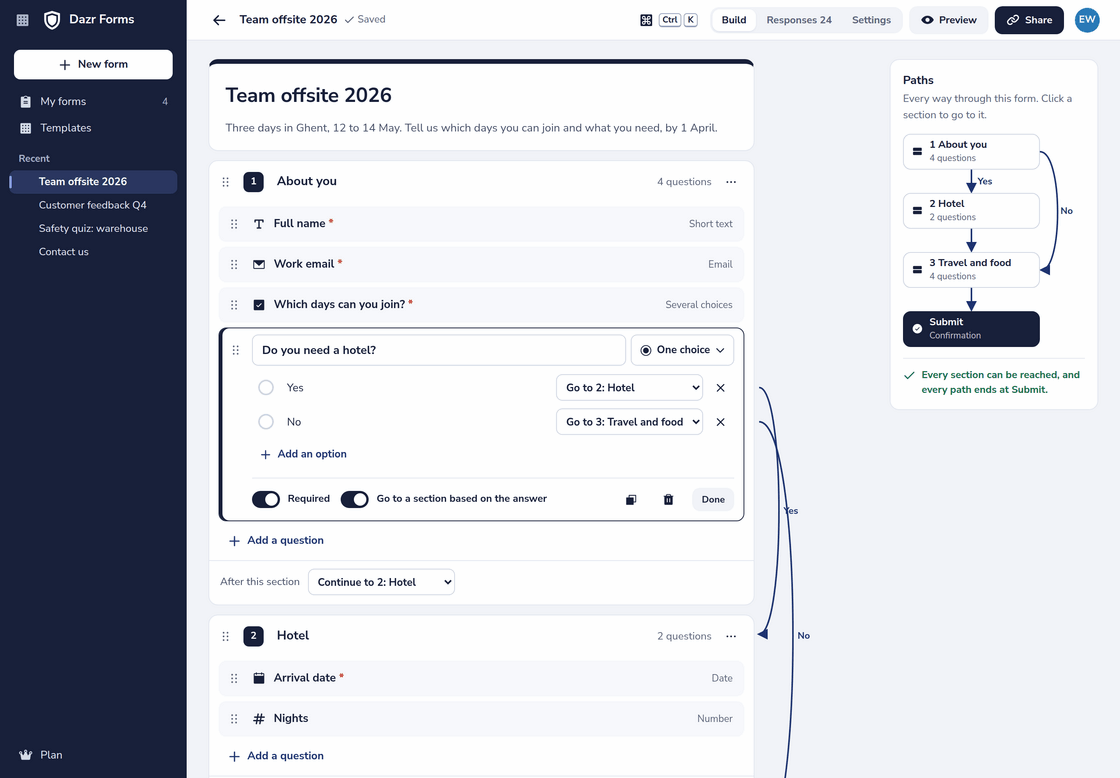
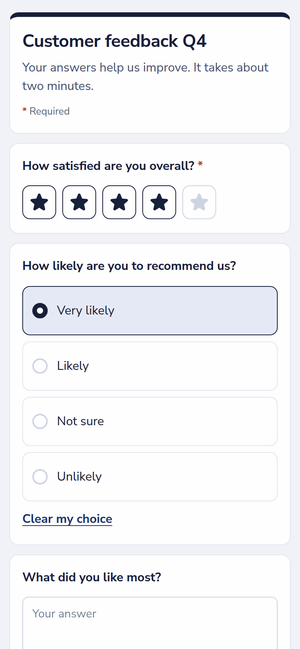
A team offsite sign-up with a hotel section only for the people who need one. On the right, a survey as people fill it in on a phone.
A simple form stays simple.
Type a question, pick how people answer, and drag it where it belongs. Everything is saved as you go.
Ten kinds of questions
Short and long text, one choice, several choices, a dropdown, a rating with stars or numbers, a date, a number with a lowest and highest value, an email address and a file upload. Mark any question as required.
- Drag questions up and down, or move them with the arrow keys on the handle.
- Change a question to another type: its title stays, and between choice types its options too.
- Preview the form as people will see it before you share it.
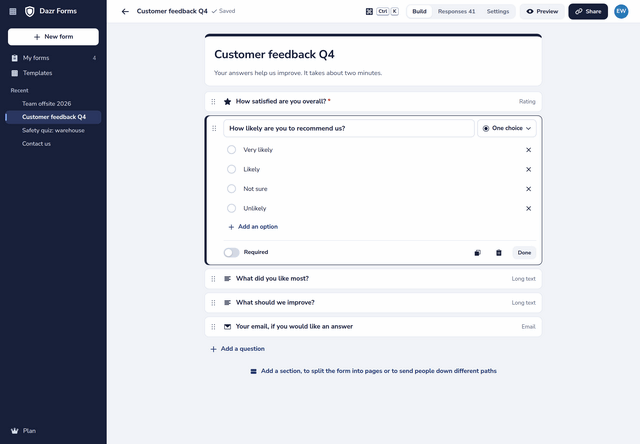
Paths, drawn next to the form.
Split a form into sections and let one answer decide where people go next.
Go to a section, based on the answer
On a one-choice or dropdown question, each answer can go to a later section or straight to Submit. Each section can also say where to go after it. The way through shows as arrows beside the questions, so you see the logic without opening a menu.
- A map of every path through the form, with each section a click away.
- A check that warns when a section can never be reached.
- Questions drag within a section and between sections, and sections drag to a new order.
- Logic only goes forward, so every path ends at Submit.
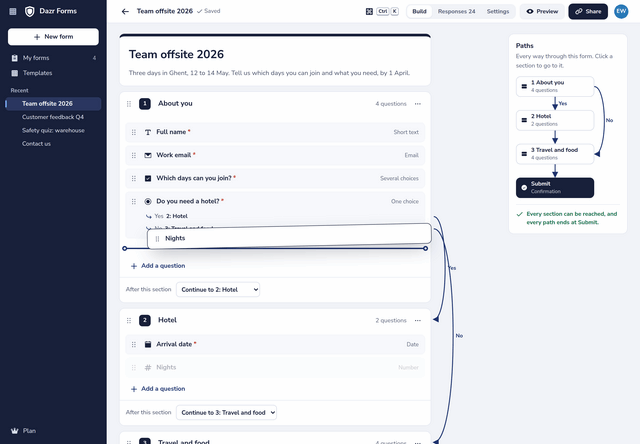
Start from a template.
Four ready-made forms in your language, to change as you like.
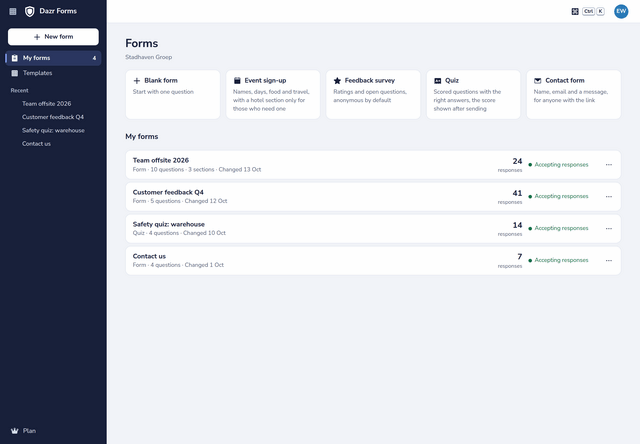
Names, days, food and travel, with a hotel section only for those who need one.
Ratings and open questions, anonymous unless you ask for a name.
Scored questions with the right answers, and the score shown after sending.
Name, email and a message, for anyone with the link.
Share it with the right people.
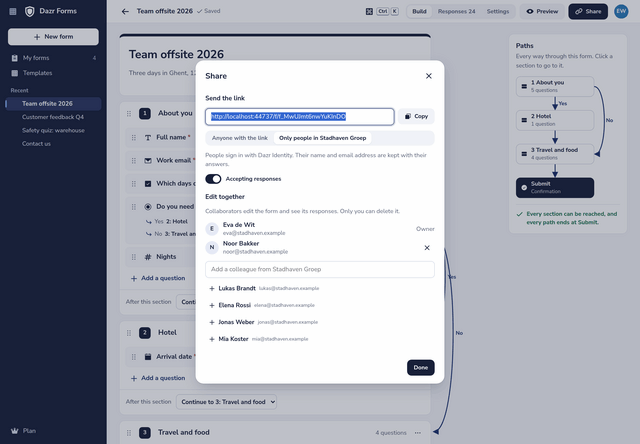
One link, and you decide who can answer it.
Anyone, or only your organisation
A link for anyone needs no account: answers are anonymous unless you ask for a name or an email address, and each response passes a quick check in the browser that a person sends it, without puzzles. A link for your organisation asks people to sign in with Dazr Identity and keeps their name with their answers.
- One response per person, on the link for your organisation.
- A close date and time, a limit on the number of responses, or stop it with one switch.
- Your own message after sending.
- Edit together: add colleagues from your organisation as collaborators.
Quizzes that score themselves.
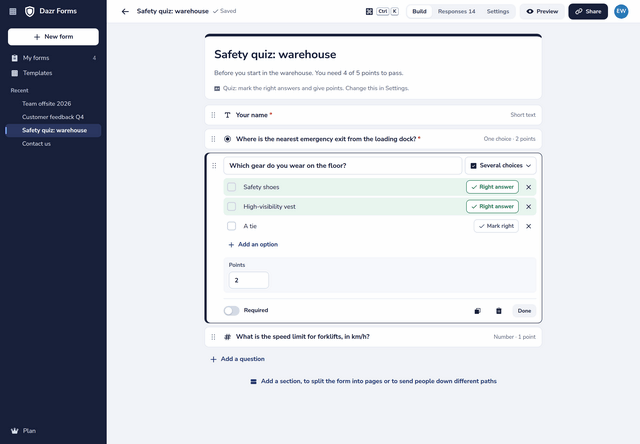
Turn any form into a quiz in its settings.
Points and right answers
Give each question points and mark the right answer. Choices, short text and numbers can be scored: several choices count only when exactly the right ones are picked, and short text ignores capitals and extra spaces.
- Show people their score right after they send, or keep it to yourself.
- The average score of everyone in the results.
- The right answers never reach the page people fill in.
The answers, as they come in.
A summary of every question, each response on its own, and your data to take elsewhere.
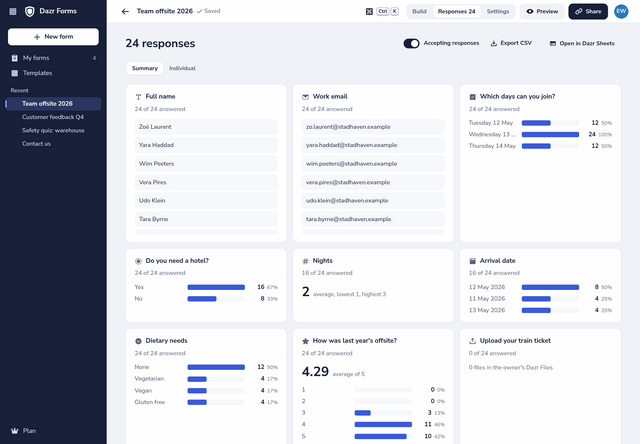
Bars with counts and percentages for choices, ratings and dates, the average of numbers and ratings, and the latest written answers.
Page through the responses one by one, with who answered on a link for your organisation, and delete one or all of them.
Download the responses as CSV, or open them as a new sheet in your Dazr Files. Text that a spreadsheet would run as a formula stays text.
Turn it on and you get an email when someone answers, with the form and the number of responses, never the answers themselves.
Files people upload, up to 4 MB each, go to the folder Dazr Forms in your own Dazr Files.
Forms, responses and files are encrypted and stored in the EU, like everything in Dazr Suite.
Part of Starter, Pro and Enterprise.
Dazr Forms is included in the Dazr Suite plans for organisations, with no separate price.
Every member covered by your organisation’s plan makes forms, shares them and reads their responses.
Up to 5,000 responses per form, 150 questions in 30 sections, 50 collaborators per form and 500 forms per person.
Dazr Forms needs an organisation on Starter, Pro or Enterprise. Anyone can answer a form shared with a link for anyone.
Questions, answered.
Which plans include Dazr Forms?
Dazr Starter, Pro and Enterprise, for the organisation. It is not part of Free and Personal. See pricing
Do people need an account to answer?
Not on a link for anyone. On a link for your organisation, people sign in with Dazr Identity, so you can take one response per person and see who answered.
Can a form skip questions that do not apply?
Yes. Put those questions in their own section, and on a one-choice or dropdown question let each answer go to a later section or to Submit. Only the questions on the way someone takes count for them.
Can people upload files?
Yes, up to 5 files of 4 MB each per question. They go to your Dazr Files and count towards your storage.
Can I take the answers elsewhere?
Yes. Download them as CSV, or open them as a new sheet in Dazr Sheets, in your own Dazr Files.
Do I need to install anything?
No. Dazr Forms runs in the browser on your computer and your phone, at suite.dazr.eu/forms.
Your next form, in minutes.
Dazr Forms is part of Dazr Starter, Pro and Enterprise.